FTB Payments Individuals
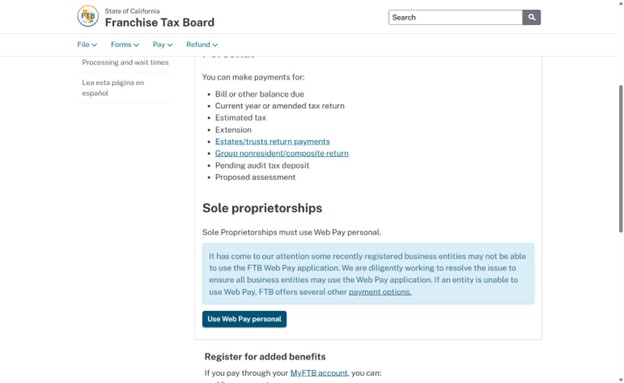
- Go to https://www.ftb.ca.gov/pay/bank-account/index.asp and click “Use Web Pay personal” at the bottom of the page.
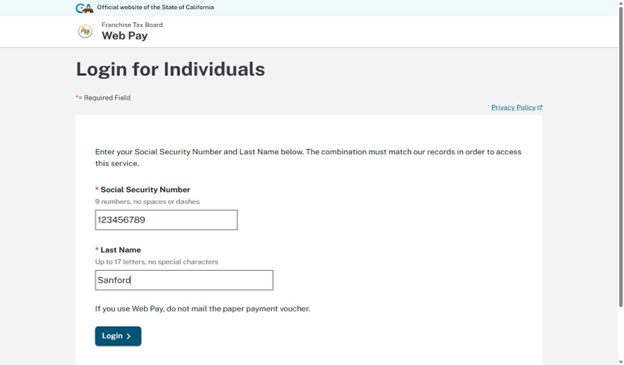
2. To login, enter your SSN and last name.
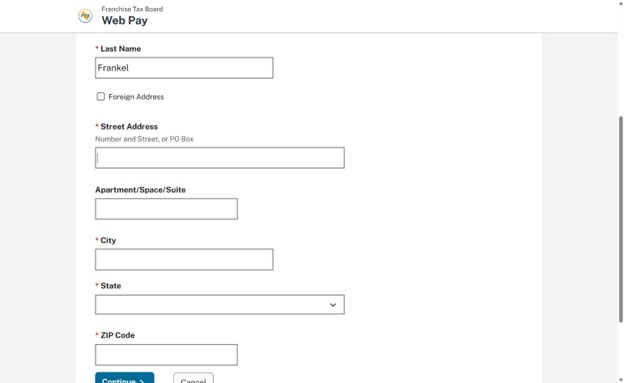
3. After logging in, you will have to enter your name and current legal address information.
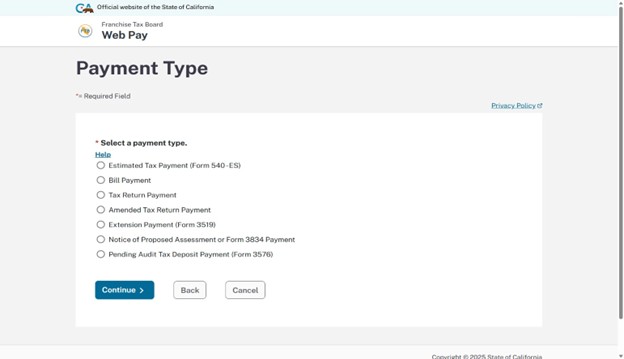
4. The next page will have you filling out what kind of payment you are making. If you are paying the balance due to California select “Tax Return Payment. If you are making your California estimated payments, select “Estimated Tax Payment (Form 540-ES)”.
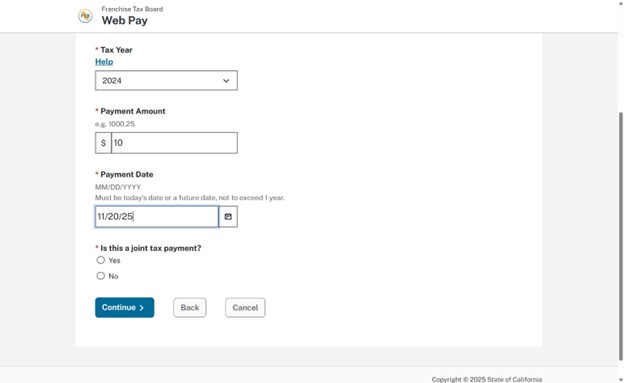
5. Enter the tax year you are making your payment for, the payment amount, and what date you would like the payment to go through. If you are Married Filing Jointly, select Yes under “Is this a joint tax payment?”. Otherwise, select No.
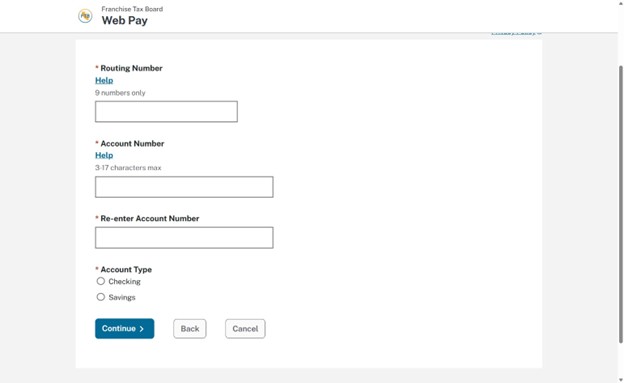
6. On the next page, fill out the account information of the bank account you would like to pay with. Your tax payment will come directly from there.
7. Next, decide if you want an email confirmation for your payment. While optional, we highly recommend it.
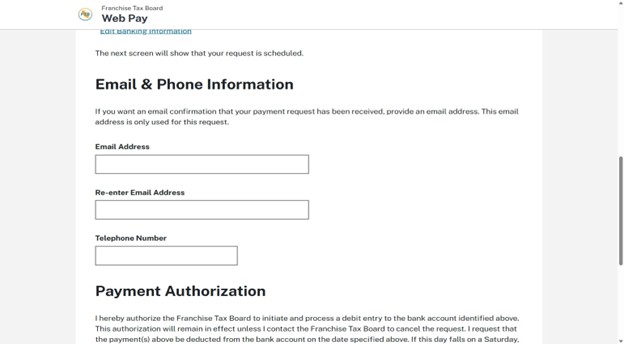
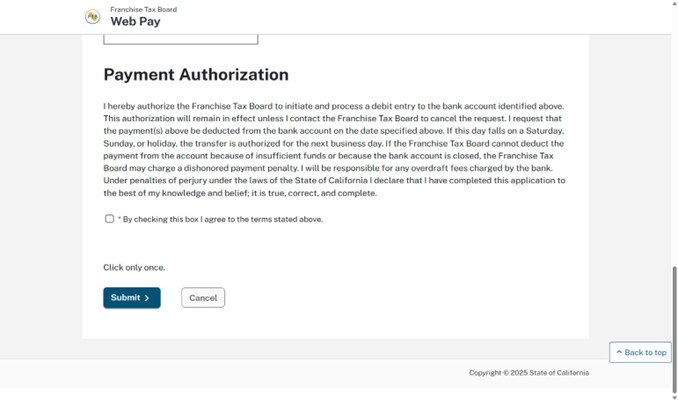
8. Agree to the Payment Authorization and submit. Your FTB payment should be good to go!