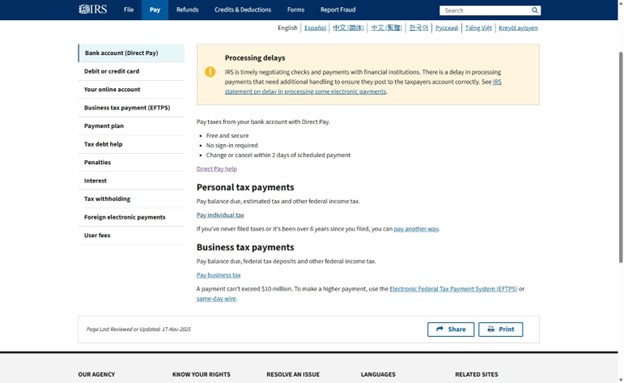
IRS Business Payments

2. Click “Pay business tax”
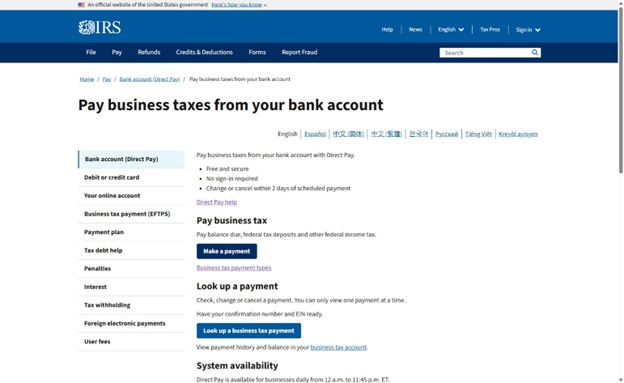
3. Click “Make a payment”
4. If you are paying the balance on your tax return, select “Balance Due”. If you are making an estimated payment, selected “Estimated Payment”.

5. When selecting where to apply your payment, select the tax form for your business. It will likely be an 1120, 1120-S, or 1065. For more information on payment types, click here.

6. Next, select the tax year you are paying for. Once you have, click “Continue”.

7. To verify your identity, you will need to fill out some information about your business. Fill out the relevant information.

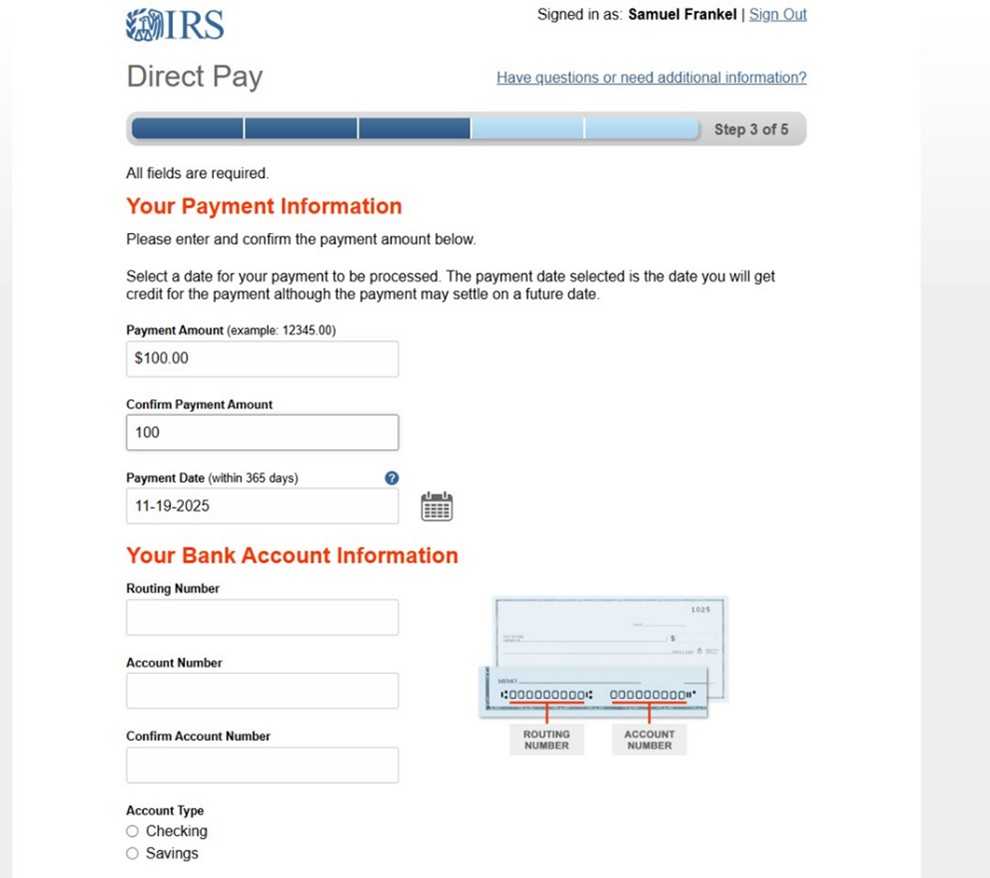
8. On the next page, enter the amount you will be paying the IRS and the bank account information of the account you would like to pay with. Your tax payment will come directly from this account.
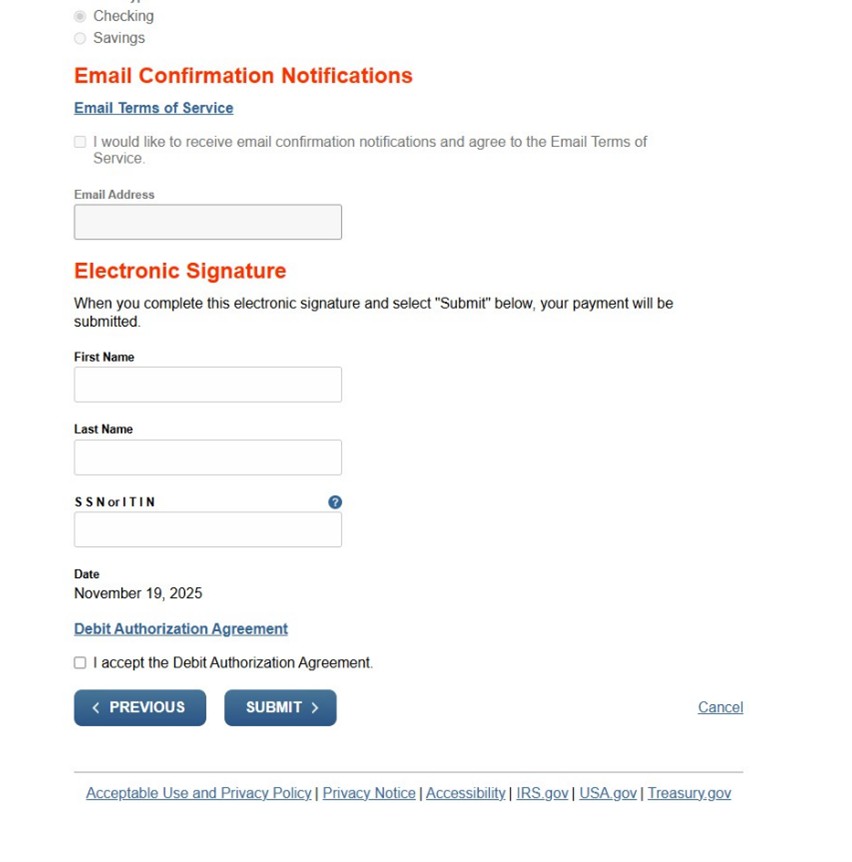
9. Fill out the “Electronic Signature” section with your Title, business name, and EIN. Email Confirmations are optional, but if you would like them check the box and fill out your email as well. Accept the Debit Authorization Agreement and click “Submit”. Remember to save / download your payment confirmation receipt. We will need a copy of it when we file your taxes. Your online payment should be good to go!