Sharefile Account
1. Check your email for Sharefile Activation email.
2. Once you have received it, open it and click “Activate Account”

3. Create your password. Your username will be the email you provided to us.
4. You may now log in after creating your password.
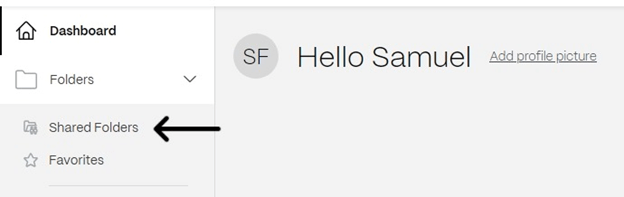
5. Click on “Shared Folders” to see the folders you have access to. There should be a folder that has your name. (If we do taxes for your business as well, those documents will also be in your named folder).
6. Click on the folder, and you will have access to all your documents.
Accessing Documents
1. Go to susanjamesandassociates.sharefile.com
2. Log in using your email and password
3. Click on “Shared Folders”
4. Click on your folder
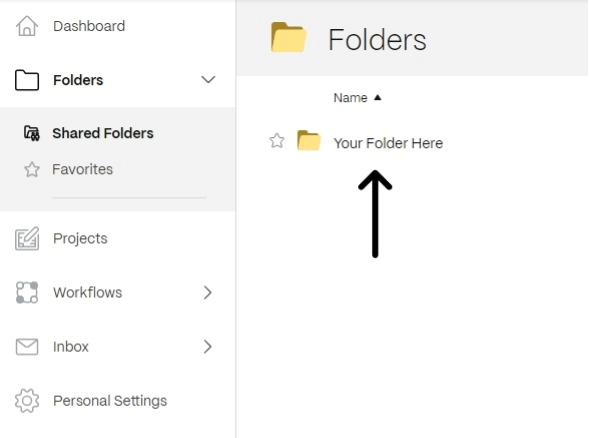
5. Click on the document you would like to access
6. It will open in your browser. If you would like to download it, click “Download” in the menu to the right.

Uploading Documents
1. Go to susanjamesandassociates.sharefile.com
2. Log in using your email and password
3. Click on “Shared Folders”

4. Click on your folder

5. Click on the blue plus sign in the top right corner and click “Upload”.

